
Agent-native
Built to be run by agents,
not just people.
Because Nimbu is API-first, fully CLI-driven, and runs server-side Cloud Code, an AI agent drives the real platform end to end. The nimbu CLI ships as an open agent skill for Claude Code, GitHub Copilot, and 35+ other agents.
An assistant helps you click. An operator does the work.
An assistant lives inside a vendor's UI. It suggests an edit, drafts some copy, fills a field. A person still clicks through every screen to make anything real.
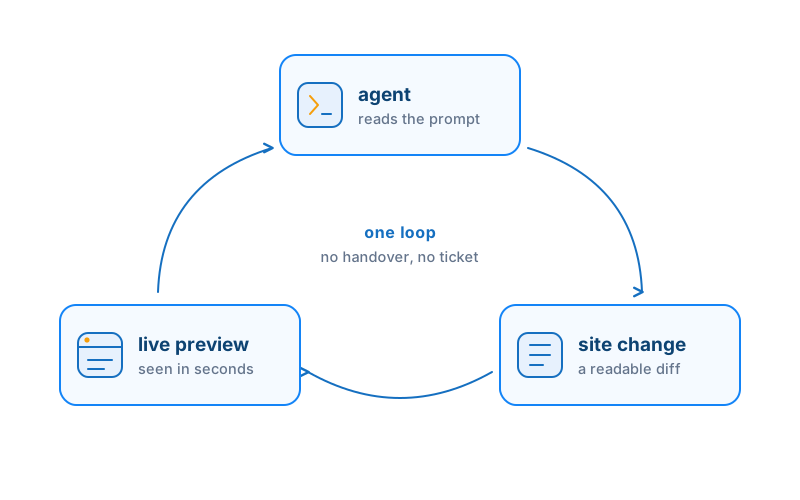
An operator has its own hands on the platform. It reads the channel schema, creates the product, writes the Liquid, runs the server-side function, pushes the theme. No human clicking in between.
Nimbu is built for the second kind. Every action in the dashboard maps to a CLI command and an API endpoint, so there is no screen an agent cannot reach. No special AI mode required.
- Every dashboard action maps to a CLI command No screen the agent cannot reach.
- Same surface developers use No AI mode, no thinner copy of the platform.
- Operational today, not a roadmap Stand up content, model channels, seed products, deploy a theme right now.
Six commands. Four real changes. No screen touched.
A short, verified transcript of an agent operating a Nimbu site. Themes push, products create, functions run, themes sync. Commands shown are illustrative; verify exact flags against the CLI docs.
The mechanism
One line. The CLI becomes an agent skill.
No SDK to wire up, no integration to maintain. The nimbu CLI registers as an open agent skill following the agentskills.io standard, the same skill format Claude Code, Copilot, and the wider agent ecosystem already read.
The agent loads the skill, learns the command grammar, and starts operating. That is the whole setup.
- agentskills.io standard The same format Claude Code, Copilot, and the wider ecosystem already read.
- 35+ agents supported The list grows with the standard, not with us shipping a new integration each time.
- Works with agents your team already runs Claude Code, GitHub Copilot, Cursor, VS Code, Gemini CLI, OpenAI Codex.
Hand an agent exactly as much as you want it to have.
Letting an agent operate a client site is a trust decision. The CLI is built to be constrained as well as capable.
Structured output
--json for parseable results, --plain for TSV. The agent reads exit codes and a typed error envelope so it knows what failed and whether to retry.
Keychain auth
nimbu auth login runs browser OAuth and stores the token in the OS keychain. No long-lived secret in a dotfile for the agent to leak.
Readonly mode
NIMBU_READONLY=1 blocks every create, update, delete, and push. Give an agent a site to read and report on, with no way to change it.
Command allowlists
NIMBU_ENABLE_COMMANDS=channels,pages limits the agent to the command groups you name. Everything else is off.
No-input mode
NIMBU_NO_INPUT=1 makes the agent fail instead of hanging on a prompt. --dry-run shows the exact payload before anything is written. Deletes need --force.
Start narrow, widen as you trust
Begin in readonly with two command groups. Widen the allowlist as confidence grows. The platform meets you wherever you set the dial.
Server-side logic the agent can write and run.
An operator that can only touch the frontend is not running the whole site. Cloud Code is where the agent puts business logic that lives inside the platform: functions, custom HTTP routes, scheduled jobs, callbacks, with no separate serverless infrastructure to stand up.
Cloud Code runs in a sandboxed V8 runtime with a curated module library (http, crypto, jwt, csv, pdf, mail, payment gateways, and more) and execution timeouts. It is a controlled server-side environment, which is what you want when an agent is the one shipping the code.
- Functions, routes, scheduled jobs, callbacks Business logic inside the platform, no separate infra.
- Sandboxed V8 runtime Curated modules and execution timeouts. Not full Node.js or npm.
- Audited and bounded Logic stays inside Nimbu, not on infrastructure someone has to babysit.
Ready to use
Copyable prompts to hand your agent.
Drop these into Claude Code, Copilot, or any agent with the nimbu skill loaded. Adjust site and channel names to match yours.
Our agent handles routine client content updates across multiple sites. We review the diff and approve. The work that used to fill a junior's afternoon now lands in minutes.
Try it on your own client work.
Explore the docs to start with the agent skill today, or book a 30-minute demo to see it running on a real site.